
Exclamation Triangle Known Issues
Back TV Monitor:
The back TV monitor needs to be turned on manually. You can do this with either the remote found on the instructor desk (or in the drawer), or by pressing the power button located on the side of the monitor.
Auto-Framing:
Do not use any auto-framing or multi-stream option to control the focus of the camera. This can cause some issues with the camera or will fail to properly capture the professor/students.
Lightbulb Helpful Room Hints
When switching cameras, it will work a little differently than other Zoom Rooms. In this room, there is an extra icon in the upper-right-hand side of the touch panel that looks similar to a remote with waves coming from the corner. 
If you select this icon, you will then be brought to a menu that looks like the one below. From here, you will be able to select if you want the instructor or student camera sent through the broadcast.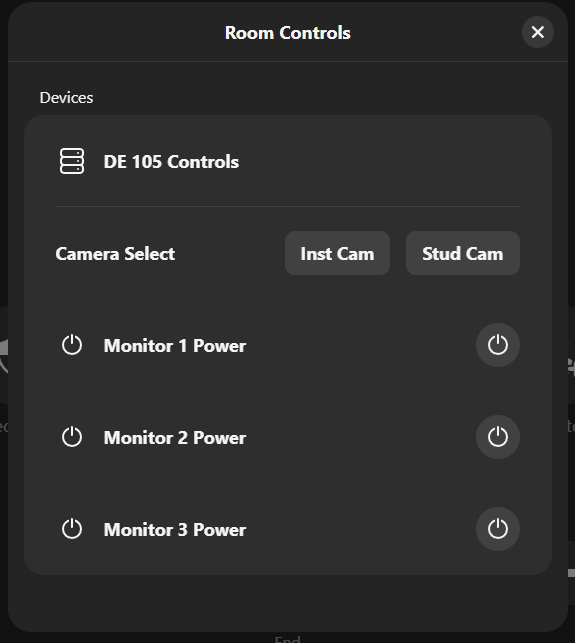
Additional Information
Student View:
Instructor View:
Location: