
Helpful Room Hints
On the Video Settings page, ensure the following are selected for both Receive and Origination Classes:
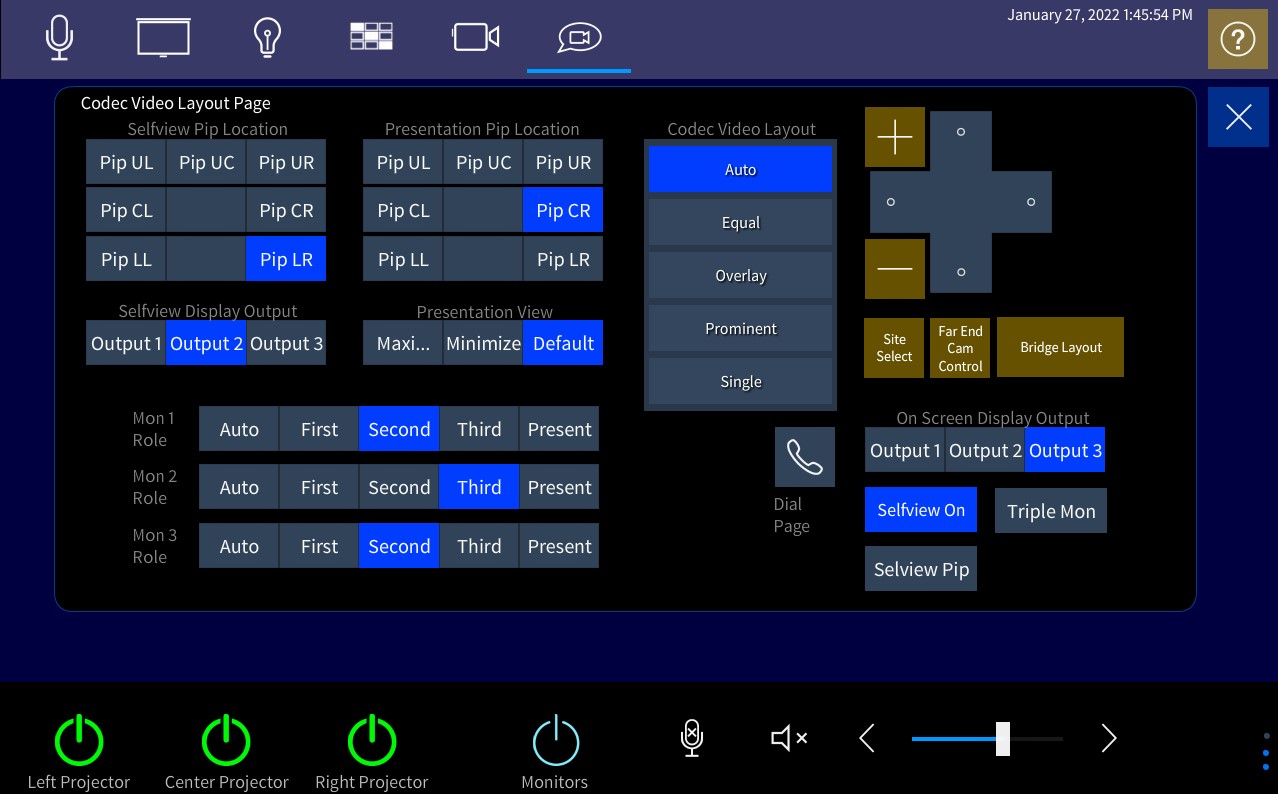
The IVC Window
This is the most important thing to remember when facilitating an IVC Broadcast call in this room. You must keep the IVC Window open at all times while facilitating in this room. The Window is (shown above) along the top of the Touch Panel and is the icon of the Camcorder within a chat bubble. You must stay in this window for all of the IVC Equipment to work while facilitating. If you exit out of this window (The homescreen with the Instructor Camera and the content sharing icons), you will return to Face to Face mode, and things will turn off and stop working properly. If you were sharing content before closing out of the IVC Window, you will need to return to the IVC Window and share the content again. Please keep an eye on this and make sure you stay in this window when facilitating in this room.
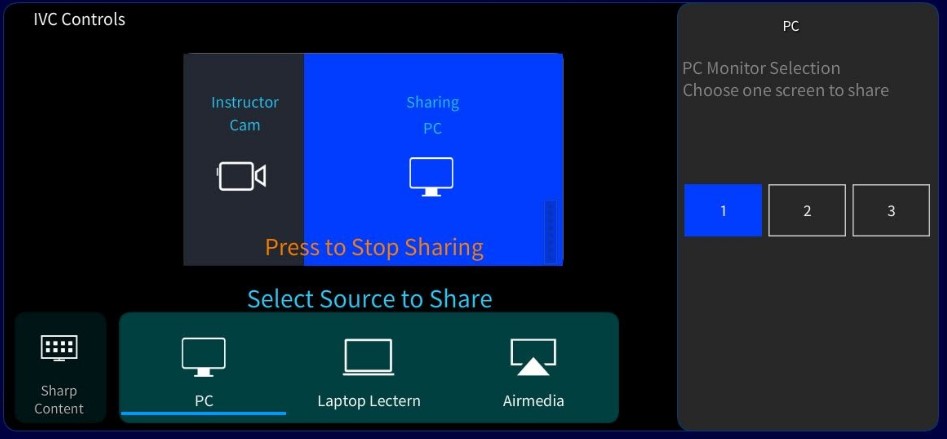
Selecting the PC Monitor
Select the PC as the presentation source. One will see the PC Monitor option appear on the right side of the XPanel. If it does not appear stop and re-start the presentation source. The screens 1, 2, and 3 relate to the PC monitors on the instructors desk.
Wireless Instructor Mics
There are two wireless instructor microphones in this room. Both mics can be used separately, or at the same time. Mics are located in a rack of equipment inside a storage closet near the back of the room. The batteries in these mics are rechargeable. Always make sure to place the mics back in their stand and press down firmly to ensure they recharge.
Microphone Amplification
This room is capable of amplifying the instructor's microphone throughout the room. In order to turn that on, off, or adjust the levels, select the microphone icon on the bottom of the touch panel.

Instructor Computer Access:
The instructor computer is located in the storage closet near the back of the room. This should only need to be accessed if the instructor wants to play a DVD. There are two USB ports on the side of the instructor monitor that will connect to the instructor PC.
Known Issues
For the moment, the Facilitator Computer located in the back of the classroom is not connected to the internet. We have had some technical difficulties and we have found a temporary solution by taking this computer and other devices off of the network. If you need to access the internet in this room, please use either a personal laptop, or work with Sarah and Cooper to borrow one from the Office.
Additional Information
Student View:
Instructor View:
Location: