
Helpful Room Hints
Window Screens
The windows have shades/screens that can be lowered or raised in the room. The button is located near the instructor desk at the front of the room.
Room Lights
Lights need to be turned on manually using the switches at the front of the classroom.
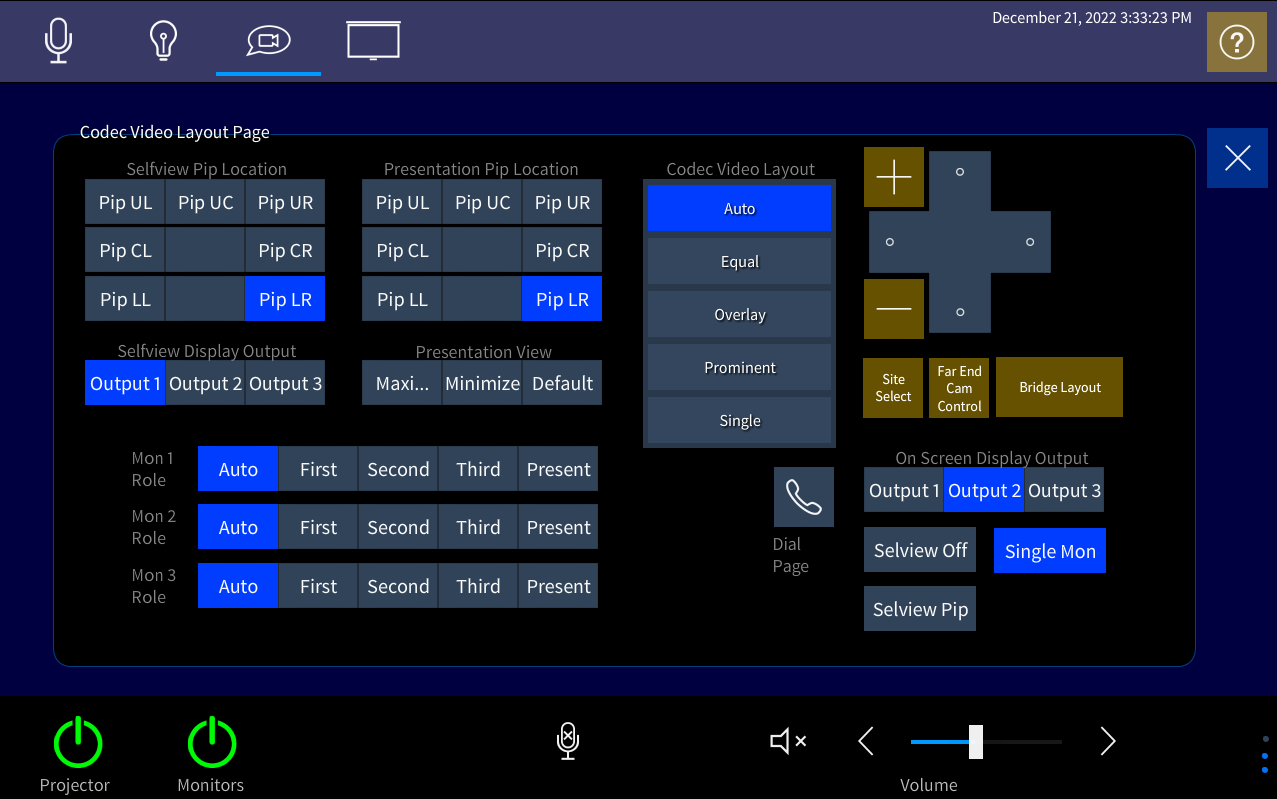
For a Receive Class, setup the xPanel as shown here:
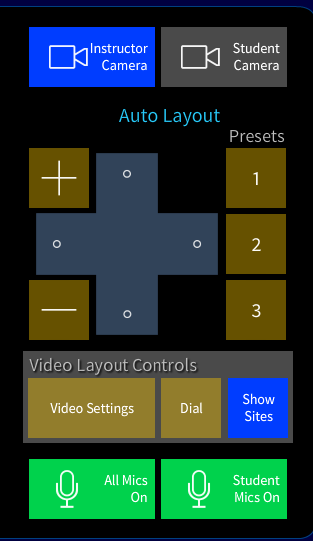
For Receive courses, you must also have the "Show Sites" button enabled on the homescreen. It is located under the camera controls and will highlight blue if selected correctly:
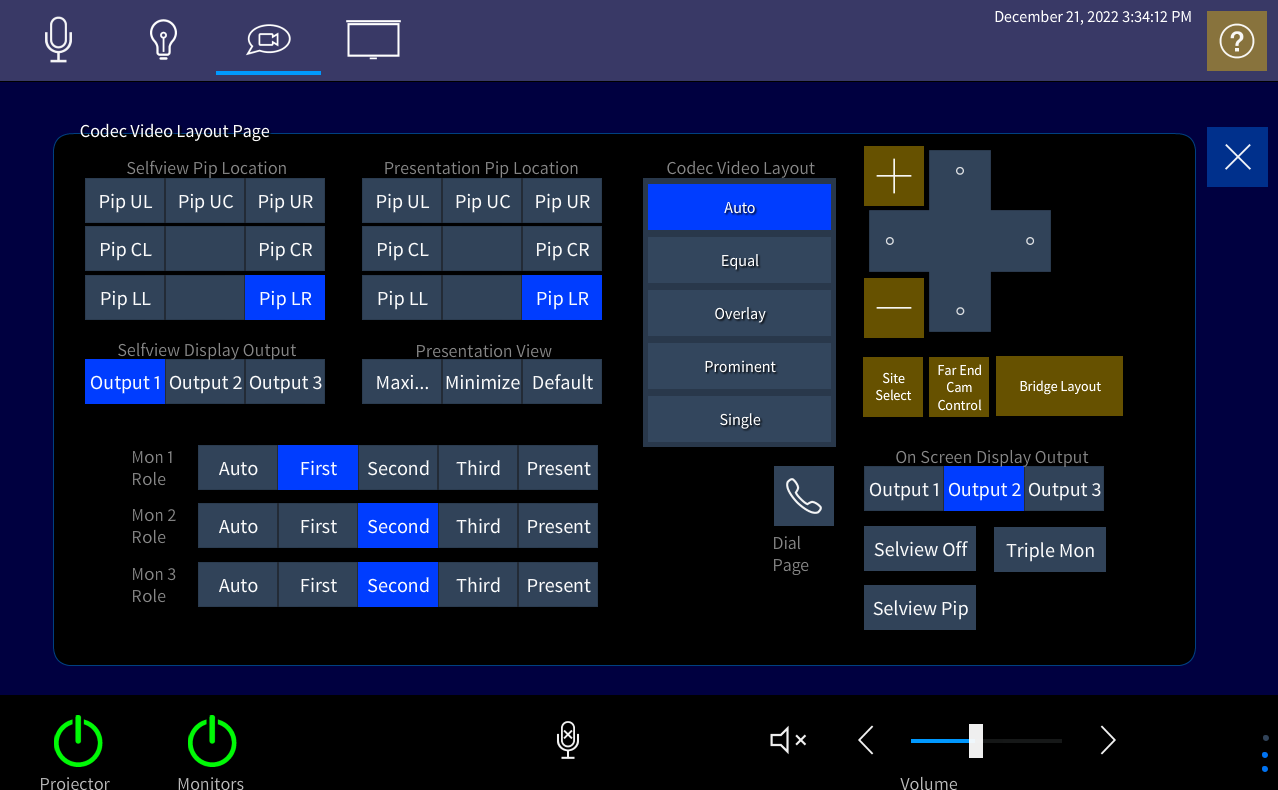
For an Origination Class, setup the xPanel as shown here:
Known Issues
Projectors need to be turned on using the white remote found in the drawer of the Teacher's desk. The projector will time out within a few minutes if there is not a call connected, so wait until right before the class should connect before turning on the projector.
Additional Information
Student View:
Instructor View:
Location:
On This Page

Quick Facts
| Room Type: | Classroom |
| Codec: | SX80 |
| Student Mic: | Ceiling |
| Facilitator Ctrl: | SCCE xPanel |
| Doc Cam: | Ceiling |