
If you come across a classroom displaying a grey screen on a display instead of your desired content, this can often be resolved by taking a few seconds to reset the classroom system:
1. Open the Room Controls on the Classroom Touch Panel

2. Select the Reset tab, then select the System Reset button
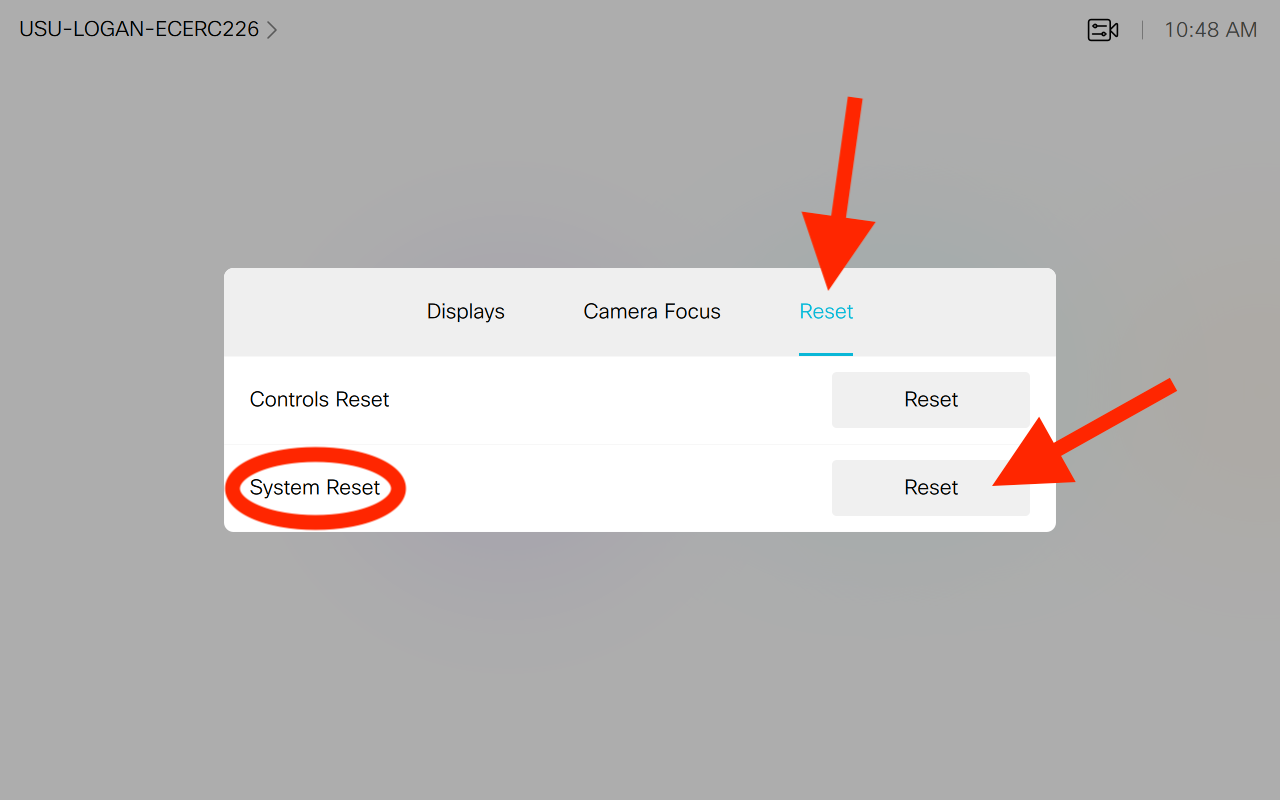
The touch panel will go black and the displays in the room will stop receiving video.
3. Tap anywhere on the classroom touch panel to bring the system back up then share your desired content.